










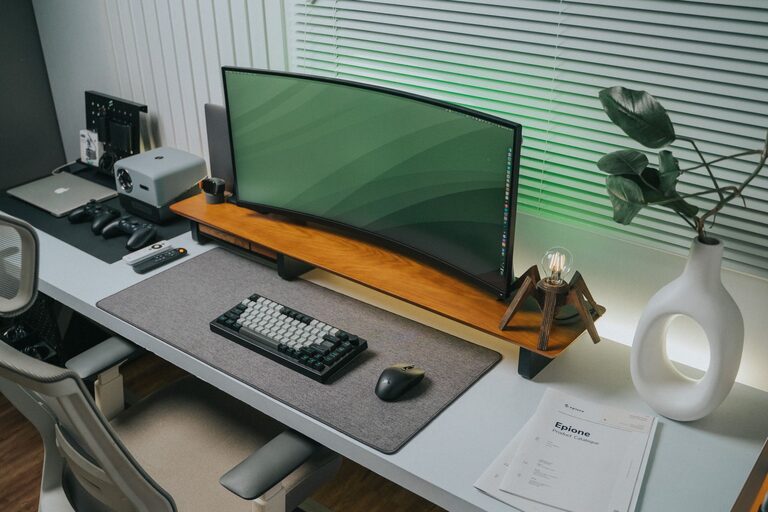
Creating a clutter-free home office is essential for maintaining focus and boosting productivity. Whether you work from home full-time or occasionally need a space to tackle personal projects, an organized and tidy office can make a big difference. In this post, we’ll explore practical and easy-to-follow tips to help you transform your home office into a clutter-free zone designed for better productivity.
Why a Clutter-Free Home Office Matters
A cluttered space can easily lead to distractions, stress, and wasted time searching for items. By keeping your workspace clean and orderly, you can:
– Improve concentration
– Save time locating important tools and documents
– Boost your motivation and creativity
– Reduce stress and overwhelm
Step 1: Declutter Your Workspace
Before organizing, it’s important to clear out the unnecessary items.
– Sort through your items: Separate what you need daily from what can be stored elsewhere or discarded.
– Keep only essentials nearby: Items like your computer, notebook, pens, and a calendar should be easily accessible.
– Dispose of or recycle unused papers: Digitize documents whenever possible to reduce paper clutter.
– Donate or store supplies: If you have extra office supplies or equipment that you rarely use, consider donating or storing them elsewhere.
Step 2: Choose the Right Furniture and Layout
Having the right furniture and layout supports an efficient workflow.
– Ergonomic chair and desk: Comfort is key for long work hours. Choose furniture that supports good posture.
– Adequate desk space: Your desk should be large enough for your computer, necessary tools, and a little extra space to work.
– Good lighting: Place your desk near a source of natural light if possible. Add a desk lamp for focused lighting.
– Placement of frequently used items: Keep essentials within arm’s reach to avoid unnecessary movement.
Step 3: Use Smart Storage Solutions
Proper storage keeps clutter off your desk and helps you stay organized.
– Desk organizers: Use trays, pen holders, and document stands to keep items tidy.
– Shelves and cabinets: Store books, additional supplies, and files on shelves or in cabinets.
– Drawer dividers: These can help separate small items like clips, sticky notes, or USB drives.
– Labeling: Label folders, boxes, and drawers for easy identification and quick access.
Step 4: Go Digital Wherever Possible
Reducing physical clutter can be achieved by embracing digital tools.
– Scan important documents: Keep digital copies on cloud storage to free up physical space.
– Use productivity apps: Organize tasks, schedules, and notes via apps to reduce paper clutter.
– Minimize printed materials: Print only when absolutely necessary and file documents promptly.
Step 5: Establish Daily and Weekly Cleanup Habits
Maintaining an organized space requires consistent effort.
– Daily habit: Spend 5–10 minutes tidying your desk before and after work.
– Weekly routine: Set aside time once a week to clear out unnecessary items and file papers.
– Inbox management: Regularly organize your email and digital files to reduce digital clutter.
Step 6: Personalize Thoughtfully
Adding personal touches makes your home office inviting but avoid overdoing it.
– Inspiring artwork or photos: Choose a few pieces that motivate you.
– Plants: A small plant can improve air quality and mood.
– Limit decorations: Keep decorations minimal to avoid distractions.
Step 7: Manage Cables and Electronics
Cables and electronic accessories often add to the mess.
– Cable organizers: Use clips, ties, or cable sleeves to keep wires neat.
– Designated charging station: Create a spot to charge devices, preventing scattered chargers.
– Regular checks: Remove unused cords and electronics regularly.
Final Thoughts
Organizing a clutter-free home office is not just about tidiness; it’s about creating an environment that supports your productivity and well-being. By decluttering, choosing functional furniture, adopting smart storage, and maintaining good habits, you’ll build a workspace where it’s easier to focus and get work done effectively. Start small and adjust according to your needs – your ideal productive workspace is within reach.